Mac to PC, no setup.
Install GreySpace on the Mac and the Windows PC, connect them to the same router, and send files and whole folders from one computer to the other, both ways. No network share to set up, no account, no USB stick, and no size limit*.
On the MacYour device
Download for MacNotarized by Apple: no warning on launch.
By email or message, to open it on your computer.
On the Windows PCYour device
Download for WindowsInstalled by the Microsoft Store: no warnings, automatic updates.
By email or message, to open it on your computer.
Free up to 10 GB of sending a month, no account.
*No limit with Pro. Receiving stays unlimited, even on Free.
Ready in three steps.
-
Install the app on both
On the Mac, the DMG file, notarized by Apple; on the PC, the Microsoft Store. Free, no account.
-
Same network
Connect both computers to the same router. Nothing else to set: no IP address, no shared folders, no password.
-
Drop, send
Drop files or a folder into the GreySpace window, pick the other computer, send. Everything lands in the Downloads folder, one folder per send.
A whole folder, in one click.
Pick a folder on the Mac or the PC: all its files go in a single send, no zip, and arrive in a folder with the same name. No size cap with Pro, and every file arrives identical, byte for byte.
- A001_C012.mov
- IMG_4821.dng
- Interview_cam-B.mov
- A001_C014.mov
- Room_tone.wav
- and 147 more files
A phone passing by? It scans.
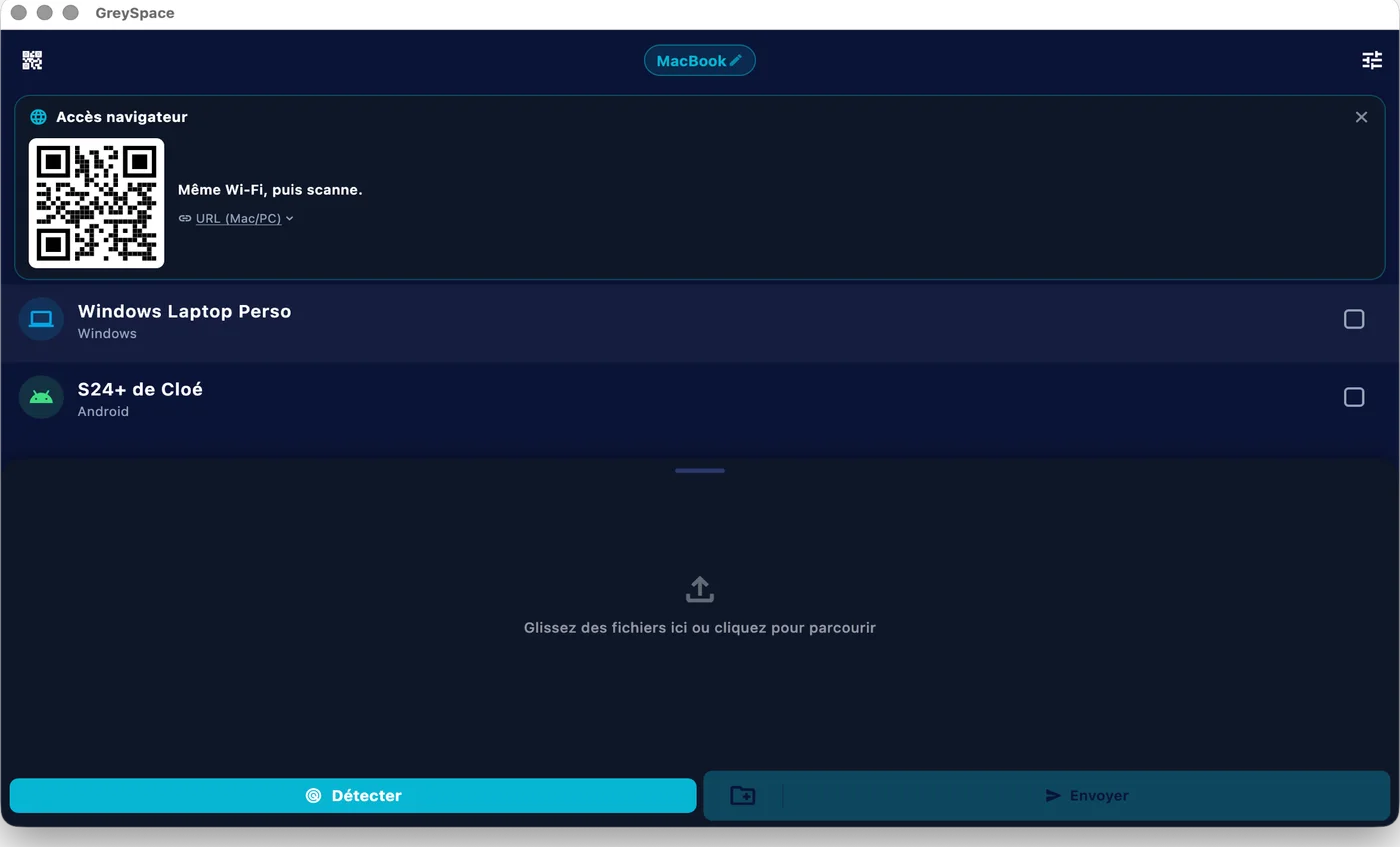
The Mac and the PC each show a QR code. A phone without the app scans it and receives your files in its browser, or sends you some. Nothing to install.
 GreySpace
 Connected to MacBook
What about what’s already installed?
If your two computers already share a network folder, keep it. Otherwise, here is what each option asks of you.
-
macOS file sharing (SMB)
The Mac opens its folders to the PC over the local network, with nothing to install.
You turn on SMB sharing, allow it account by account with its password, then give the PC the Mac’s network address. And Apple warns that those passwords may then be stored in a less secure manner.
-
A USB stick or external drive
Works anywhere, no network needed.
Two copies instead of one, a big enough drive, and a disk format that both the Mac and the PC can read.
-
The cloud (iCloud Drive, OneDrive, Google Drive)
Syncs a folder between both computers, over the internet.
Everything goes up to a server and comes back down: you need a connection, room in your plan, and you wait twice.
Checked against Apple’s and Microsoft’s official help pages on 18 September 2026. Mac, macOS and iCloud are trademarks of Apple Inc. Windows and OneDrive are trademarks of Microsoft Corporation. Google Drive is a trademark of Google LLC. GreySpace is not affiliated with any of these companies.
Sending footage every week? Pro lifts the 10 GB monthly limit: €39.99 a year, that’s €3.33 a month.
See ProPeople often ask
For anything else, email us.
How do I transfer files from a Mac to a Windows PC?
The simplest way: install GreySpace on both, connect them to the same router, drop your files into the window and pick the other computer. Nothing to configure: no IP address, no SMB share, no account. The files land in Downloads, in a folder of their own.
The PC can’t see the Mac, or the other way round?
Check three things. Both are on the same network, and not on a guest Wi-Fi, which often keeps devices apart. On the PC, your network uses the “Private” profile (Settings, Network & internet): a “Public” profile blocks incoming connections. On the Mac, if macOS asks to allow GreySpace on the local network or to accept incoming connections, allow it.
What if the Wi-Fi cuts out mid-transfer?
If the connection drops for a few seconds, GreySpace retries on its own and the transfer carries on right where it stopped, with nothing to tap and without resending what already arrived. After a longer drop you tap “Resume”, and the version on sale today sends the files that already arrived again. No file ever shows up half-done: each one is checked before it is put away.
Does it work without internet?
Yes. The transfer stays on your local network: a router with no internet connection is enough. Nothing goes through a server.
Are my files private?
Yes. They go directly from your device to the receiver’s, on your local network. No third-party server, even as a fallback: GreySpace never relays through the cloud.
No account on the Free plan, no usage tracking in the app, nothing collected. What moves between your devices stays between your devices.
Send anything. In one click.
Free up to 10 GB of sending a month, no account. Other platforms