A LocalSend alternative that picks up if it drops.
LocalSend, Snapdrop and PairDrop do local file sharing, and do it well. GreySpace adds what matters once the volume grows: it picks up on its own when the connection drops, without resending what already arrived, and never a cut file that looks complete.
Free up to 10 GB of sending a month, no account. Other platforms

And on your phone? Scan this code, it opens the right store.
And on your computer?
The right tool for your use.
A few files, now and then
LocalSend is free, open source and unlimited, on Windows, Mac, Linux, Android and iPhone. Keep it: it does the job very well.
Big batches, often
Footage, a photo library, folders of tens of gigabytes: a drop must cost nothing there. GreySpace retries on its own when the connection drops, without resending what already arrived, and a cut file never shows up under its real name.
On Linux? Stay with LocalSend: GreySpace is not available on Linux.
What changes with GreySpace
-
A drop, and it picks up
With LocalSend, a cut transfer is restarted by hand, file by file: automatic resume has been an open request since March 2024.
GreySpace retries on its own when the connection drops for a few seconds, without resending what already arrived, and every file is checked before it shows up.
-
No server, not even to connect
Snapdrop and PairDrop run in the browser: an online server introduces the devices, and PairDrop relays through its own when they are not on the same network.
GreySpace finds devices and sends on your local network, with no internet: a router with no connection or a hotspot is enough.
-
No link that expires
Send Anywhere goes through its servers: on the free plan, a link up to 10 GB, valid for 48 hours, with ads.
GreySpace sends from one device to the other: nothing is stored, nothing expires, no ads.
Side by side, no spin.
| LocalSend | Snapdrop, PairDrop | GreySpace | |
|---|---|---|---|
| Price | Free, open source | Free, open source | Free up to 10 GB of sending a month; Pro €39.99 a year, that’s €3.33 a month |
| Install | An app, or a browser via a link (QR code) | None, a browser | An app, or a browser for the device without it |
| No internet needed | Yes | No: a server introduces the devices | Yes |
| Resume after a drop | By hand, file by file; automatic requested since March 2024 | Not stated | Yes, at the interrupted file |
| File checked on arrival | Yes, since version 1.18 (August 2026) | Not stated | Yes, before it shows up |
| Linux | Yes | Yes, in the browser | No |
| Cut file | Stays under its real name, incomplete | Not stated | Never visible: temporary file until checked |
-
LocalSend
- Price
- Free, open source
- Install
- An app, or a browser via a link (QR code)
- No internet needed
- Yes
- Resume after a drop
- By hand, file by file; automatic requested since March 2024
- File checked on arrival
- Yes, since version 1.18 (August 2026)
- Linux
- Yes
- Cut file
- Stays under its real name, incomplete
-
Snapdrop, PairDrop
- Price
- Free, open source
- Install
- None, a browser
- No internet needed
- No: a server introduces the devices
- Resume after a drop
- Not stated
- File checked on arrival
- Not stated
- Linux
- Yes, in the browser
- Cut file
- Not stated
-
GreySpace
- Price
- Free up to 10 GB of sending a month; Pro €39.99 a year, that’s €3.33 a month
- Install
- An app, or a browser for the device without it
- No internet needed
- Yes
- Resume after a drop
- Yes, at the interrupted file
- File checked on arrival
- Yes, before it shows up
- Linux
- No
- Cut file
- Never visible: temporary file until checked
Checked on 19 September 2026 on localsend.org and LocalSend’s official repository (changelog, version 1.18.2 code, requests #1191, #2820, #2934), and on the official Snapdrop and PairDrop repositories. “Not stated”: the official source says nothing about it.
30 GB of videos to move from iPhone to PC? The guide compares the cable, iCloud, Phone Link, LocalSend and GreySpace, and what happens if it cuts out.
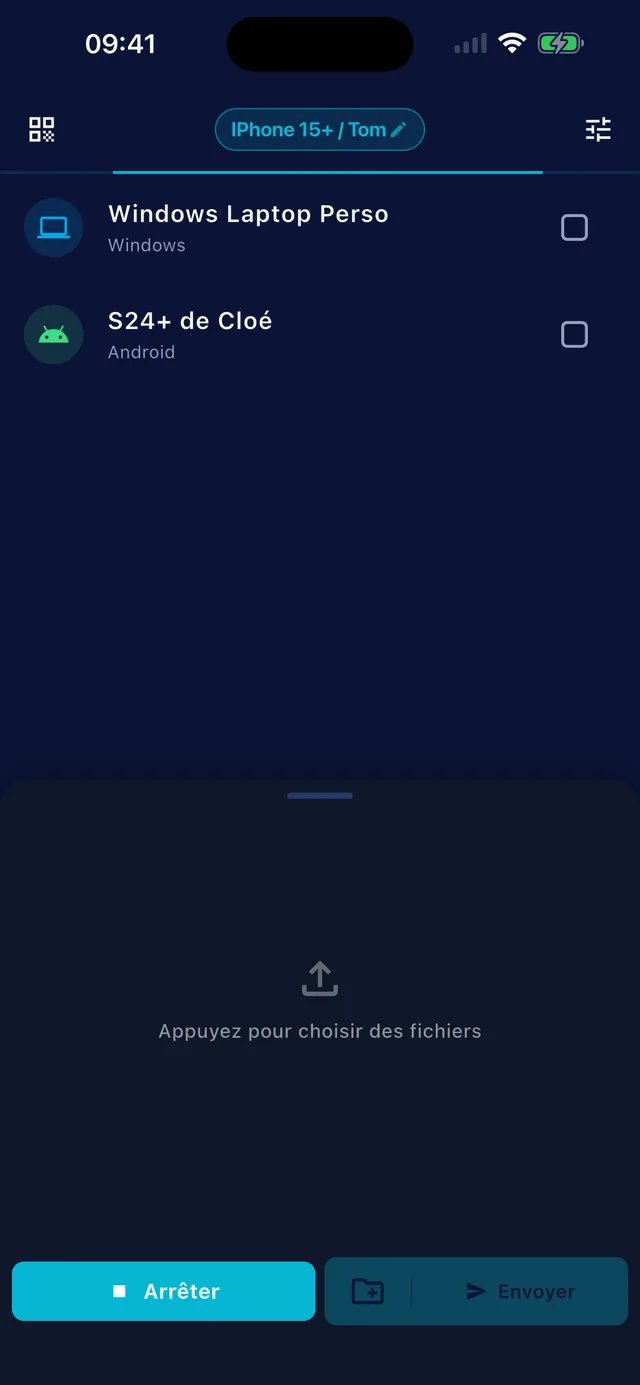
Wi-Fi drops? It picks up.
GreySpace retries on its own when the Wi-Fi drops for a few seconds, without resending what already arrived. Every file is checked before it shows up: never a half-copied file under its real name.
A device without the app? It scans.
GreySpace shows a QR code. A phone without the app scans it and receives in its browser, or sends you its files. Nothing to install, no account.
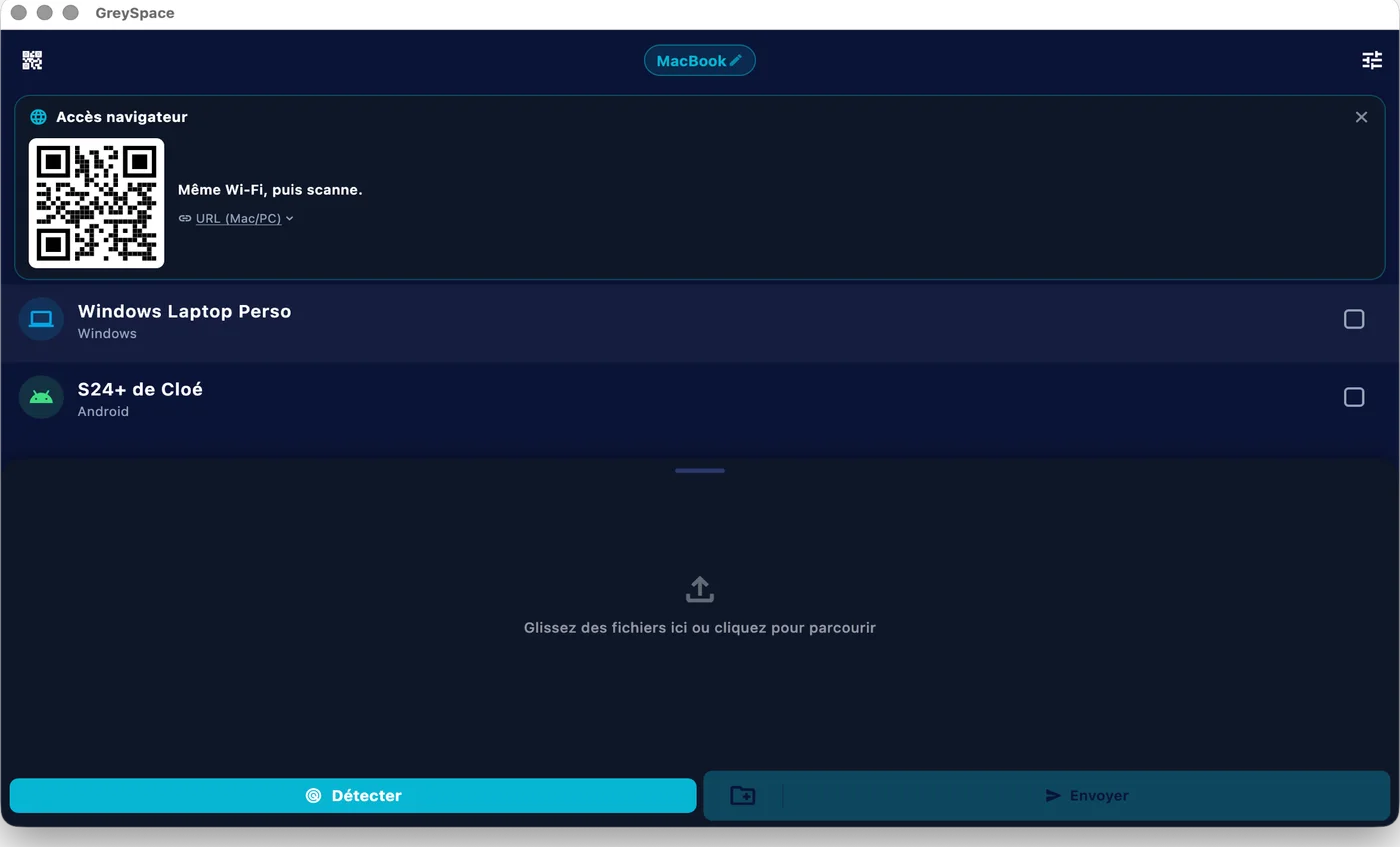
 GreySpace
 Connected to MacBook
A whole folder, in one send.
From a Mac or a PC, every file in the folder goes in one pass, no zip. No limit with Pro, up to 10 GB a month on Free.
- A001_C012.mov
- IMG_4821.dng
- Interview_cam-B.mov
- A001_C014.mov
- Room_tone.wav
- and 147 more files
Also included
What you also get with GreySpace.
-
Mac, Windows, Android, iPhone
The same app everywhere
-
Receive without the app
A browser is enough, via QR code
-
Whole folders
No zipping, from a Mac or a PC
-
No account
Neither to send, nor to receive
LocalSend, Snapdrop, PairDrop and Send Anywhere belong to their respective authors and publishers. GreySpace is not affiliated with any of them.
Sending footage every week? Pro lifts the 10 GB monthly limit: €39.99 a year, that’s €3.33 a month.
See ProPeople often ask
For anything else, email us.
Is GreySpace free like LocalSend?
Not entirely, and we’d rather say so. LocalSend is free and open source, with no limit. GreySpace is free up to 10 GB of sending a month, and receiving stays unlimited; beyond that, Pro costs €39.99 a year, that’s €3.33 a month.
If you send little, LocalSend is enough.
How is it different from Snapdrop and PairDrop?
They run in the browser, with nothing to install, which is handy. But an online server has to introduce the devices: without internet, they can’t find each other. And when the devices are not on the same network, PairDrop routes the transfer through its relay server.
GreySpace stays on your local network, even with no internet.
What about Send Anywhere?
Send Anywhere goes through its servers. On the free plan: a live transfer up to 50 GB, or a link up to 10 GB valid for 48 hours, with ads; paid plans start at $5.99 a month (prices checked on 19 September 2026).
Handy for sending far away. Between your own devices, GreySpace skips the detour.
Are my files private?
Yes. They go directly from your device to the receiver’s, on your local network. No third-party server, even as a fallback: GreySpace never relays through the cloud.
No account on the Free plan, no usage tracking in the app, nothing collected. What moves between your devices stays between your devices.
Send anything. In one click.
Free up to 10 GB of sending a month, no account. Other platforms