Send your videos without wrecking them.
WhatsApp recompresses everything and caps files at 100 MB. GreySpace sends the whole video, identical byte for byte.
Free up to 10 GB of sending a month, no account. Other platforms

And on your phone? Scan this code, it opens the right store.
And on your computer?
Where WhatsApp leaves you stuck
-
Your 4K comes out in 720p
Every video is recompressed before it leaves: you send ProRes, they get 720p.
GreySpace touches nothing: 4.2 GB sent, 4.2 GB received, byte for byte.
-
Capped at 100 MB
Past 100 MB the video is capped, and recompressed to 720p.
GreySpace has no size limit: 4.2 GB or 48 GB, it is the same gesture.
-
Metadata is gone
Date, location, color profile, original name: nothing survives the trip.
GreySpace passes the file through as it is, and verifies it on arrival.
4K, ProRes, RAW: everything goes through with no recompression.
No cap, no splitting: a 126.4 GB folder goes in one pass, and every file lands identical, byte for byte.
- A001_C012.mov
- IMG_4821.dng
- Interview_cam-B.mov
- A001_C014.mov
- Room_tone.wav
- and 147 more files
Fifteen minutes for 1 GB? More like 9 seconds.
The file goes straight from one device to the other, at your Wi-Fi speed: up to 900 Mb/s on Wi-Fi 6 or a hotspot.
The race for 1 GB of video
Wi-Fi 6 or hotspot: up to 900 Mb/s. Wi-Fi 5: around 400 Mb/s. Cloud: capped by your upload (10 to 50 Mb/s), then the download on the other side.
No app on their side? They scan.
Your QR code, their browser, and the whole video lands: Safari on iPhone, Chrome on Android and PC. Nothing to install, no account.
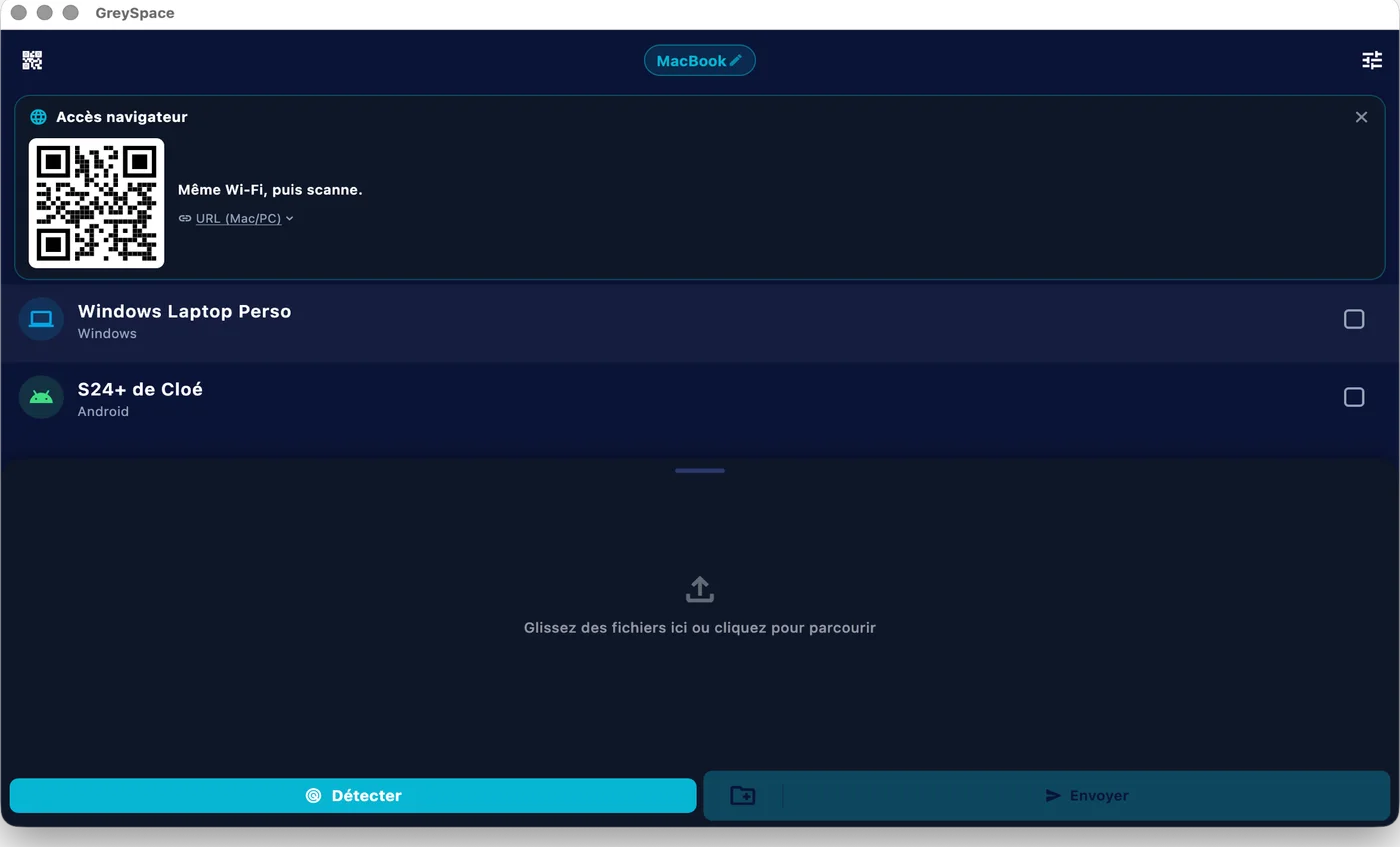
 GreySpace
 Connected to MacBook
Also included
The video that lands is exactly the one that left.
-
Quality untouched
No recompression: 4K, ProRes and RAW land as they are
-
Metadata kept
Date, color profile and original file name
-
No size limit
A 48 GB video sends like a photo
-
Nothing on a server
The file stays on your network, not in a chat thread
Sending footage every week? Pro lifts the 10 GB monthly limit: €39.99 a year, that’s €3.33 a month.
See ProPeople often ask
For anything else, email us.
Can I send Final Cut or Premiere projects, RAW folders?
Yes. GreySpace sends entire folders from a Mac or a PC, without zipping: all their files go in a single send. For now, subfolders arrive flattened, in a single folder. Every file is verified on arrival and stays identical byte for byte: your ProRes, your RAWs and your projects land exactly as they left.
How fast is it?
As fast as your Wi-Fi, with no throttling on our side. On a Wi-Fi 5 router, expect around 400 Mb/s: 1 GB in 20 seconds. On Wi-Fi 6 or a hotspot between two recent devices, up to 900 Mb/s: 1 GB in 9 seconds.
A cloud upload, by contrast, is capped by your upload speed, often 10 to 50 Mb/s. And the other side still has to download.
What about iPhone?
GreySpace is on the App Store, for iPhone and iPad. Get the app, it’s free.
An iPhone without the app can still receive: it scans the QR code shown by GreySpace and the files land in Safari. From that same browser, it can also send you files.
Is it really free?
Yes. The Free plan is free forever: unlimited receiving, 10 GB of sending per month, full speed, no account. The day you hit 10 GB, the app even gives you 7 unlimited days, no card (except on iPhone and iPad).
If you send heavy files every day, Pro removes the sending limit: €5.99 per month, or €39.99 per year.
Send anything. In one click.
Free up to 10 GB of sending a month, no account. Other platforms