A WeTransfer alternative with no size limit*.
Between your own devices, or with someone on the same Wi-Fi: no upload, no expiring link, the file goes straight across. Receiver far away? Then keep WeTransfer.
Free up to 10 GB of sending a month, no account. Other platforms
*No limit with Pro. Receiving stays unlimited, even on Free.

And on your phone? Scan this code, it opens the right store.
And on your computer?
The right tool for each send.
Your receiver is far away
A client in another city, a friend abroad: you need a link that travels over the internet. Keep WeTransfer, that’s what it’s for.
Your own devices, or someone nearby
From phone to computer, from one computer to another, to a colleague in the same office or on the same shoot: GreySpace sends direct, no upload, no link, no waiting twice.
Do you send your own files to yourself with WeTransfer or by email? That’s where you gain the most: your phone and your computer are on the same Wi-Fi, the file doesn’t need to go around the internet.
Where WeTransfer leaves you stuck
-
3 GB a month
The free plan caps you at 3 GB per transfer, and 3 GB in total over 30 days: a single 48 GB ProRes file does not fit.
On Free, GreySpace gives you 10 GB of sending a month. With Pro, no cap at all: 126 GB go in one pass.
-
Your connection pays twice
Upload to the server, then download on the other side: 3 to 15 min for 1 GB.
GreySpace does it in one step, straight from one device to the other, at the speed of your Wi-Fi.
-
A public link, and it expires
Your files sit on a server, behind an address anyone can open.
Then the link expires after 3 days and you upload it all again. GreySpace copies nothing anywhere.
A whole shoot, in one send.
No splitting, no zip: every file in the folder goes in one pass, and each one lands identical, byte for byte. No limit with Pro, up to 10 GB a month on Free.
- A001_C012.mov
- IMG_4821.dng
- Interview_cam-B.mov
- A001_C014.mov
- Room_tone.wav
- and 147 more files
No public link: a QR code.
Your receiver, on the same Wi-Fi, scans it and gets the files in their browser: Safari on iPhone, Chrome on Android and PC. Nothing is copied to a server.
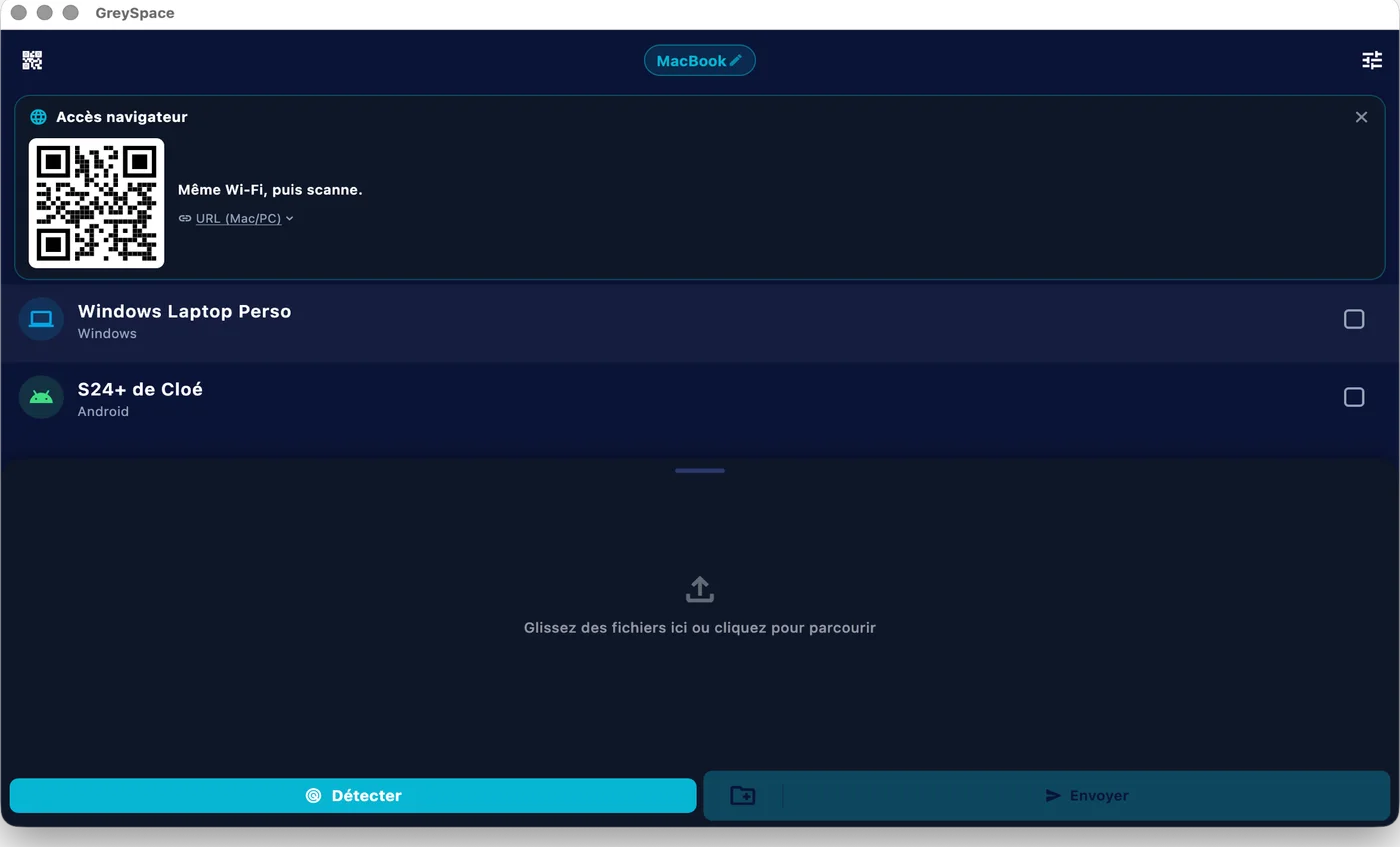
 GreySpace
 Connected to MacBook
Wi-Fi drops? It picks up.
GreySpace retries on its own when the Wi-Fi drops for a few seconds, without resending what already arrived. And every file is checked on arrival: never a truncated video that looks fine.
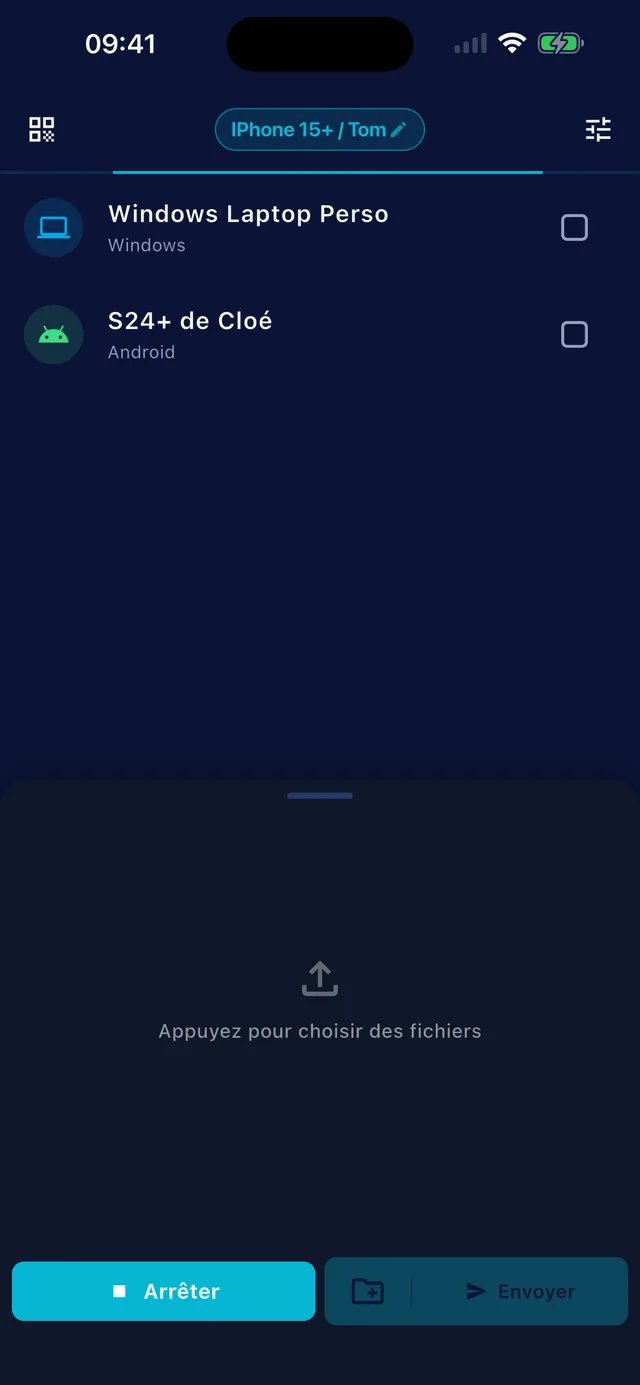
Also included
What you gain by taking the server out of the way.
-
No account
Neither to send, nor to receive
-
Nothing expires
No public link, no countdown
-
Whole folders
No zipping, from a Mac or a PC
-
No internet needed
Your local Wi-Fi is enough, or a hotspot between two devices
Sending footage every week? Pro lifts the 10 GB monthly limit: €39.99 a year, that’s €3.33 a month.
See ProPeople often ask
For anything else, email us.
How is it different from WeTransfer or Google Drive?
The cloud makes you wait twice: you upload to a server, then the receiver downloads. With GreySpace the file goes straight from one device to the other, in a single step, when both are on the same network. No public link, no copy on a server, and no size limit with Pro (10 GB of sending a month on Free).
Your receiver is on the other side of the country? Then an online service like WeTransfer is still the right tool.
Is it really free?
Yes. The Free plan is free forever: unlimited receiving, 10 GB of sending per month, full speed, no account. The day you hit 10 GB, the app even gives you 7 unlimited days, no card (except on iPhone and iPad).
If you send heavy files every day, Pro removes the sending limit: €5.99 per month, or €39.99 per year.
Are my files private?
Yes. They go directly from your device to the receiver’s, on your local network. No third-party server, even as a fallback: GreySpace never relays through the cloud.
No account on the Free plan, no usage tracking in the app, nothing collected. What moves between your devices stays between your devices.
Do I need an internet connection?
No. Files travel over your local Wi-Fi, or over a hotspot between two devices, and never touch the internet. The Free plan needs no connection at all.
A Pro subscription checks in now and then to confirm it is active, and if it can’t, it keeps working for 14 days without network.
Send anything. In one click.
Free up to 10 GB of sending a month, no account. Other platforms