A Quick Share alternative, also on Mac and iPhone.
Quick Share connects your Android phone to your Windows PC. GreySpace transfers files across Android, Mac, iPhone and Windows over your Wi-Fi, with no account required.
Free, no account. Other platforms
And on your computer?
The right tool for your devices.
An Android phone and a Windows PC, that’s all
Quick Share is already built into Android and the Windows app works great on the same network. For that specific setup, stick with it.
A Mac, an iPhone, or mixed devices
Quick Share does not provide any app for macOS, and iPhone is left out on Windows. GreySpace transfers between Android, Mac, iPhone and PC without exception.
Sending large batches? GreySpace retries on its own if Wi-Fi drops, without resending what already arrived, and verifies each file on arrival.
Where Quick Share leaves you stuck
-
No Mac application
Google does not provide Quick Share on macOS: a Mac cannot send or receive using Quick Share.
GreySpace has a native Mac app notarized by Apple, compatible with Windows and Android.
-
No iPhone support on Windows
Quick Share for Windows cannot communicate with an iPhone or iPad.
GreySpace connects iPhone directly to Windows PC over local Wi-Fi with no cables or cloud.
-
The app on both ends
Quick Share needs an Android device or the Windows app on each side: no receiving in a plain web browser.
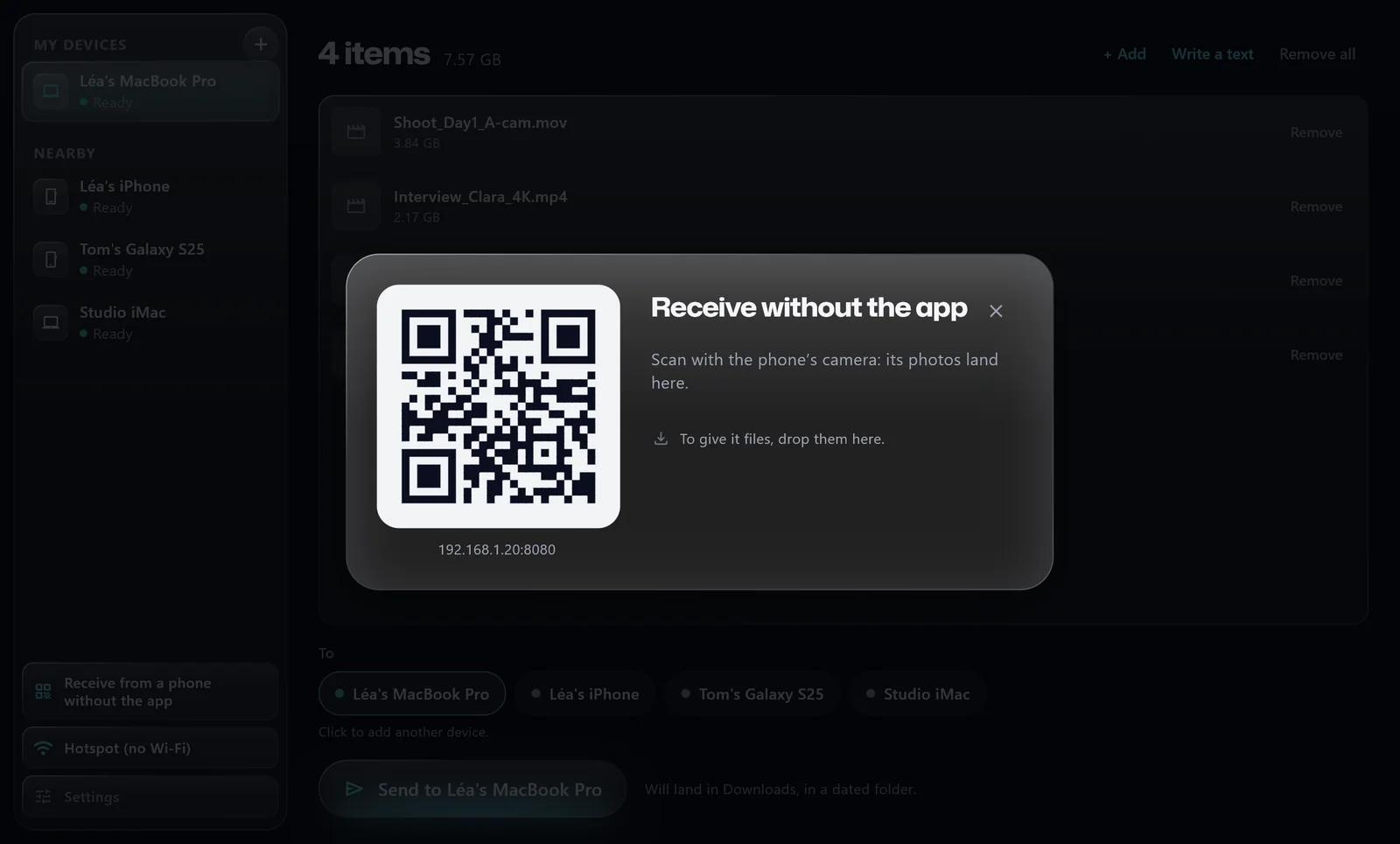
With GreySpace, whoever doesn’t have the app scans a QR code and receives in their browser.
Side by side, unbiased.
| Quick Share (Google) | GreySpace | |
|---|---|---|
| Compatible devices | Android and Windows 10/11 PC (64-bit); no Mac or iPhone | Android, iPhone, iPad, Mac and Windows PC; web browser to receive without the app |
| Account required | Recommended: Google asks for it “to access all options” | No account required, neither to send nor receive |
| Receive without installing an app | No: Quick Share app required on PC, Android OS required | Yes: scan a QR code to receive or send in any web browser |
| After a Wi-Fi drop | Not specified on official page | Automatic retry after a few seconds of dropout, without resending completed files |
| File integrity | Not specified on official page | Every file is checked on arrival (CRC32) |
| Pricing | Free | Free up to 10 GB of sending a month; unlimited Pro at €3.33 a month, billed €39.99 a year |
-
Quick Share (Google)
- Compatible devices
- Android and Windows 10/11 PC (64-bit); no Mac or iPhone
- Account required
- Recommended: Google asks for it “to access all options”
- Receive without installing an app
- No: Quick Share app required on PC, Android OS required
- After a Wi-Fi drop
- Not specified on official page
- File integrity
- Not specified on official page
- Pricing
- Free
-
GreySpace
- Compatible devices
- Android, iPhone, iPad, Mac and Windows PC; web browser to receive without the app
- Account required
- No account required, neither to send nor receive
- Receive without installing an app
- Yes: scan a QR code to receive or send in any web browser
- After a Wi-Fi drop
- Automatic retry after a few seconds of dropout, without resending completed files
- File integrity
- Every file is checked on arrival (CRC32)
- Pricing
- Free up to 10 GB of sending a month; unlimited Pro at €3.33 a month, billed €39.99 a year
Checked on 10/10/2026 on Google’s official pages (support.google.com/android and android.com/better-together/quick-share-app). “Not specified”: the official page does not state it.
No app installed? Just scan.
On your PC or Mac, GreySpace displays a QR code. Your recipient scans it with their phone camera and receives the files in their browser. Nothing to install.
 GreySpace
 Connected to MacBook
Wi-Fi drops? It picks up.
GreySpace retries on its own when Wi-Fi drops for a few seconds, without resending what already arrived. Every file is checked on arrival.
Sending 12 videos · 8.4 GB
Wi-Fi drops at video 7 Picks up at video 7, not from zero 12 of 12, each one verified
A whole folder, in one send.
From a Mac or PC, every file in the folder goes in one pass, without zip. Unlimited with Pro, up to 10 GB a month on Free.
- A001_C012.mov
- IMG_4821.dng
- Interview_cam-B.mov
- A001_C014.mov
- Room_tone.wav
- and 147 more files
Quick Share and Android are trademarks of Google LLC. Windows is a trademark of Microsoft Corporation. iPhone and Mac are trademarks of Apple Inc. GreySpace is not affiliated with any of these companies.
People often ask
For anything else, email us.
Does Quick Share work on Mac?
No: Google does not provide a Quick Share app for macOS. To transfer files between an Android phone and a Mac over local Wi-Fi, GreySpace provides native apps for both Mac and Android.
Can you use Quick Share with an iPhone?
No: Quick Share has no app on the App Store, and the Windows app only talks to Android devices. GreySpace connects iPhone, Android, Mac and PC directly over Wi-Fi.
Do you need a Google account to use GreySpace?
No: no account is required to send or receive with GreySpace. Devices discover each other directly on your local network.
Is it really free?
Yes. The Free plan is free forever: unlimited receiving, 10 GB of sending per month, full speed, no account. The day you hit 10 GB, the app even gives you 3 unlimited days, no card.
If you send heavy files every day, Pro removes the sending limit: €3.33 a month on the annual plan (€39.99 billed yearly), or €5.99 month to month.