A Send Anywhere alternative, no internet.
Send Anywhere goes through the internet, with a 6-digit key or a link. When the other device is nearby, GreySpace sends straight over your Wi-Fi, with no internet and no ads. Receiver far away? Then keep Send Anywhere.
Free up to 10 GB of sending a month, no account. Other platforms

And on your phone? Scan this code, it opens the right store.
And on your computer?
The right tool for each send.
Your receiver is far away
Send Anywhere makes a link of up to 10 GB on its free plan, valid for 48 hours, that your receiver opens in a browser. To send far away, keep it.
Your own devices, or someone nearby
From phone to computer, from one computer to another, to a colleague in the same room: GreySpace sends direct over your local network, with no internet, no key to type, no ads.
Two Android phones, no internet? Send Anywhere has a Wi-Fi Direct mode between two Android devices: there, it works offline too.
What changes with GreySpace
-
No internet needed
Send Anywhere describes itself as an internet-based service: no connection, no transfer, except between two Android devices over Wi-Fi Direct.
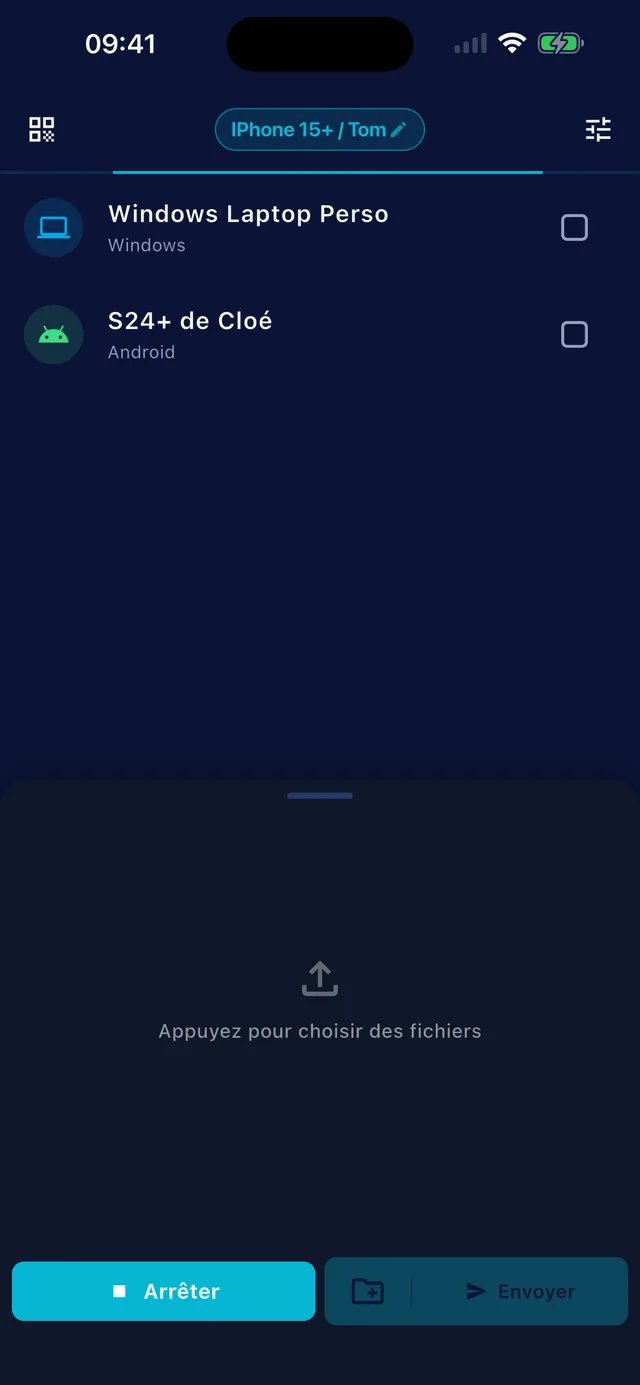
GreySpace works on a local network with no internet, or on a phone’s hotspot, between iPhone, Android, Mac and PC.
-
A drop doesn’t start you over
With the 6-digit key, a transfer stopped on either side is canceled, and a paused file starts again from the beginning.
GreySpace retries on its own when the Wi-Fi drops for a few seconds, without resending what already arrived.
-
No ads
On the free plan, Send Anywhere shows ads. Removing them costs money: an in-app purchase on mobile, or the email add-on from $5.99 a month.
GreySpace has no ads, on Free or Pro.
Side by side, no spin.
| Send Anywhere | GreySpace | |
|---|---|---|
| Price | Free with ads; email add-on plans at $5.99 and $9.99 a month | Free up to 10 GB of sending a month; Pro €39.99 a year, that’s €3.33 a month |
| Without internet | No, except between two Android devices (Wi-Fi Direct) | Yes, on a local network or a phone’s hotspot |
| Device to device, for free | Up to 50 GB, with a 6-digit key valid for 10 minutes | 10 GB of sending a month, unlimited receiving; no limit with Pro |
| Link to send far away | Yes, up to 10 GB, valid for 48 hours on Free | No: both devices are on the same network |
| After a drop | 6-digit key: transfer canceled, file restarted from the beginning; link: can resume | Retries on its own after a few seconds of dropout, without resending what already arrived |
| Ads | Yes, on Free | None |
| Devices | Android, iPhone, iPad, Windows, Mac, Linux (Debian before 11, Ubuntu before 20.04), Chrome extension | iPhone, iPad, Android, Mac, Windows; a browser to receive without the app |
-
Send Anywhere
- Price
- Free with ads; email add-on plans at $5.99 and $9.99 a month
- Without internet
- No, except between two Android devices (Wi-Fi Direct)
- Device to device, for free
- Up to 50 GB, with a 6-digit key valid for 10 minutes
- Link to send far away
- Yes, up to 10 GB, valid for 48 hours on Free
- After a drop
- 6-digit key: transfer canceled, file restarted from the beginning; link: can resume
- Ads
- Yes, on Free
- Devices
- Android, iPhone, iPad, Windows, Mac, Linux (Debian before 11, Ubuntu before 20.04), Chrome extension
-
GreySpace
- Price
- Free up to 10 GB of sending a month; Pro €39.99 a year, that’s €3.33 a month
- Without internet
- Yes, on a local network or a phone’s hotspot
- Device to device, for free
- 10 GB of sending a month, unlimited receiving; no limit with Pro
- Link to send far away
- No: both devices are on the same network
- After a drop
- Retries on its own after a few seconds of dropout, without resending what already arrived
- Ads
- None
- Devices
- iPhone, iPad, Android, Mac, Windows; a browser to receive without the app
Checked on 25/09/2026 on send-anywhere.com/pricing and Send Anywhere’s official help center (internet connection, 6-digit key, paused transfers, supported devices, ads).
No key to type: a QR code.
Your receiver, on the same Wi-Fi, scans it and gets the files in their browser: Safari on iPhone, Chrome on Android and PC. Nothing is copied to a server.
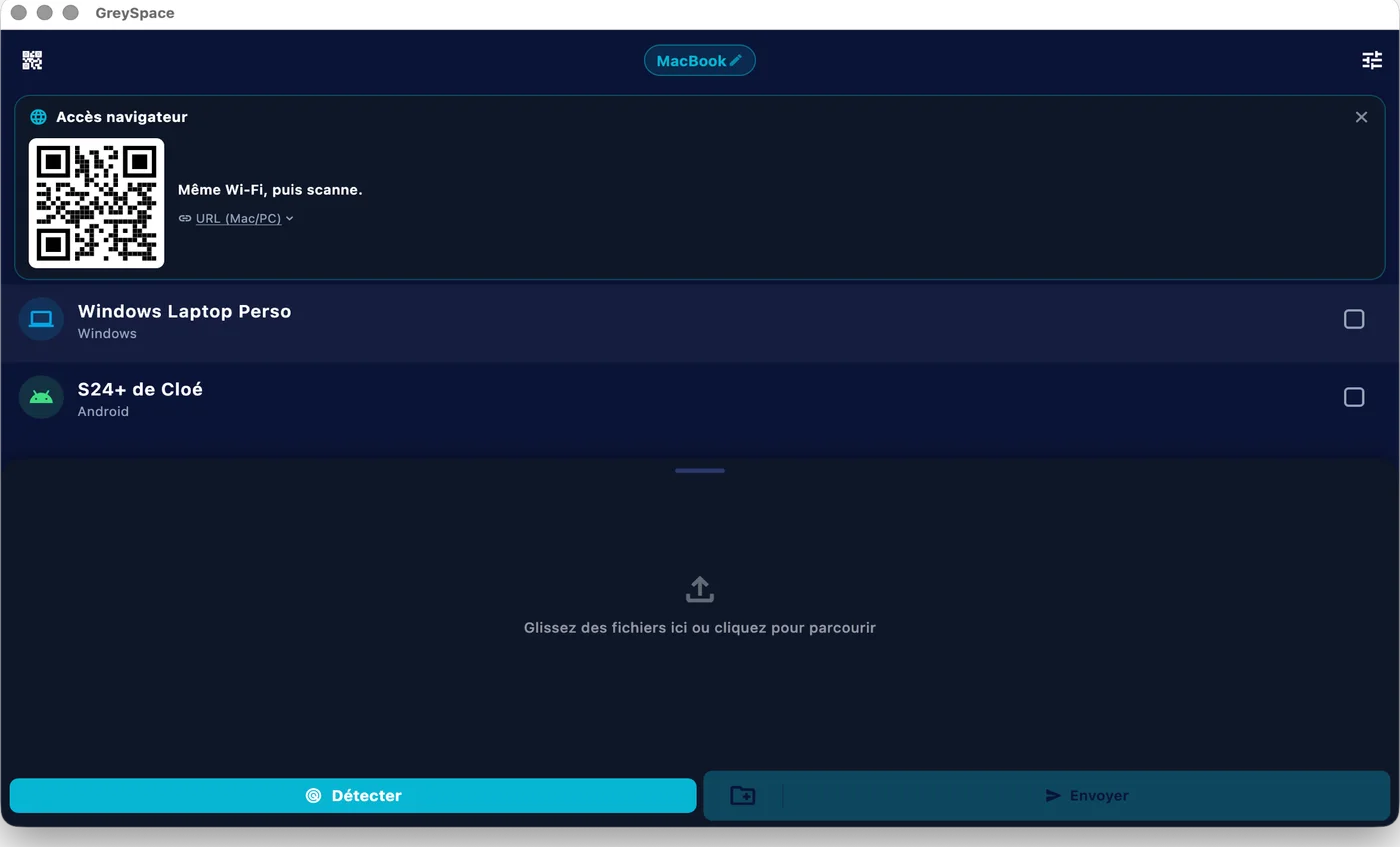
 GreySpace
 Connected to MacBook
Wi-Fi drops? It picks up.
GreySpace retries on its own when the Wi-Fi drops for a few seconds, without resending what already arrived. Between two GreySpace apps, every file is checked on arrival.
A whole folder, in one send.
From a Mac or a PC, every file in the folder goes in one pass, no zip. No limit with Pro, up to 10 GB a month on Free.
- A001_C012.mov
- IMG_4821.dng
- Interview_cam-B.mov
- A001_C014.mov
- Room_tone.wav
- and 147 more files
Also included
What GreySpace adds between your devices.
-
No internet needed
Your local Wi-Fi is enough, or a hotspot
-
No ads
Not on Free, not on Pro
-
Never a server
The file goes from one device to the other
-
Nothing half-copied
App to app, a file only shows up complete and checked
Send Anywhere is a service by Rakuten Symphony. GreySpace is not affiliated with Send Anywhere or Rakuten Symphony.
Sending footage every week? Pro lifts the 10 GB monthly limit: €39.99 a year, that’s €3.33 a month.
See ProPeople often ask
For anything else, email us.
Send Anywhere sends up to 50 GB for free, why switch?
To send far away, don’t: its link does that job very well.
GreySpace is for when the other device is nearby or on the same network: your phone and your computer, two office computers, a shoot crew. There, it works with no internet, no ads, and a short drop doesn’t start you over.
On Free, GreySpace sends up to 10 GB a month and receives without limit; Pro removes the sending limit.
Does Send Anywhere work without internet?
Only between two Android devices, in Wi-Fi Direct mode, according to its help center. Otherwise it needs the internet, including for the 6-digit key.
GreySpace works with no internet between iPhone, Android, Mac and PC: on a router with no connection, or on a phone’s hotspot.
Is it really free?
Yes. The Free plan is free forever: unlimited receiving, 10 GB of sending per month, full speed, no account. The day you hit 10 GB, the app even gives you 7 unlimited days, no card (except on iPhone and iPad).
If you send heavy files every day, Pro removes the sending limit: €5.99 per month, or €39.99 per year.
Are my files private?
Yes. They go directly from your device to the receiver’s, on your local network. No third-party server, even as a fallback: GreySpace never relays through the cloud.
No account on the Free plan, no usage tracking in the app, nothing collected. What moves between your devices stays between your devices.
Send anything. In one click.
Free up to 10 GB of sending a month, no account. Other platforms