 We
We WeTransfer
Double punishment. You push 10 GB up to a server, then the recipient downloads them again. Your connection pays twice. GreySpace skips the server, full stop.
In detailPhone to computer, Mac to PC.
No upload, no cable, even offline.
Free up to 10 GB of sending a month, no account. Other platforms
Your device asks to reduce motion on websites.
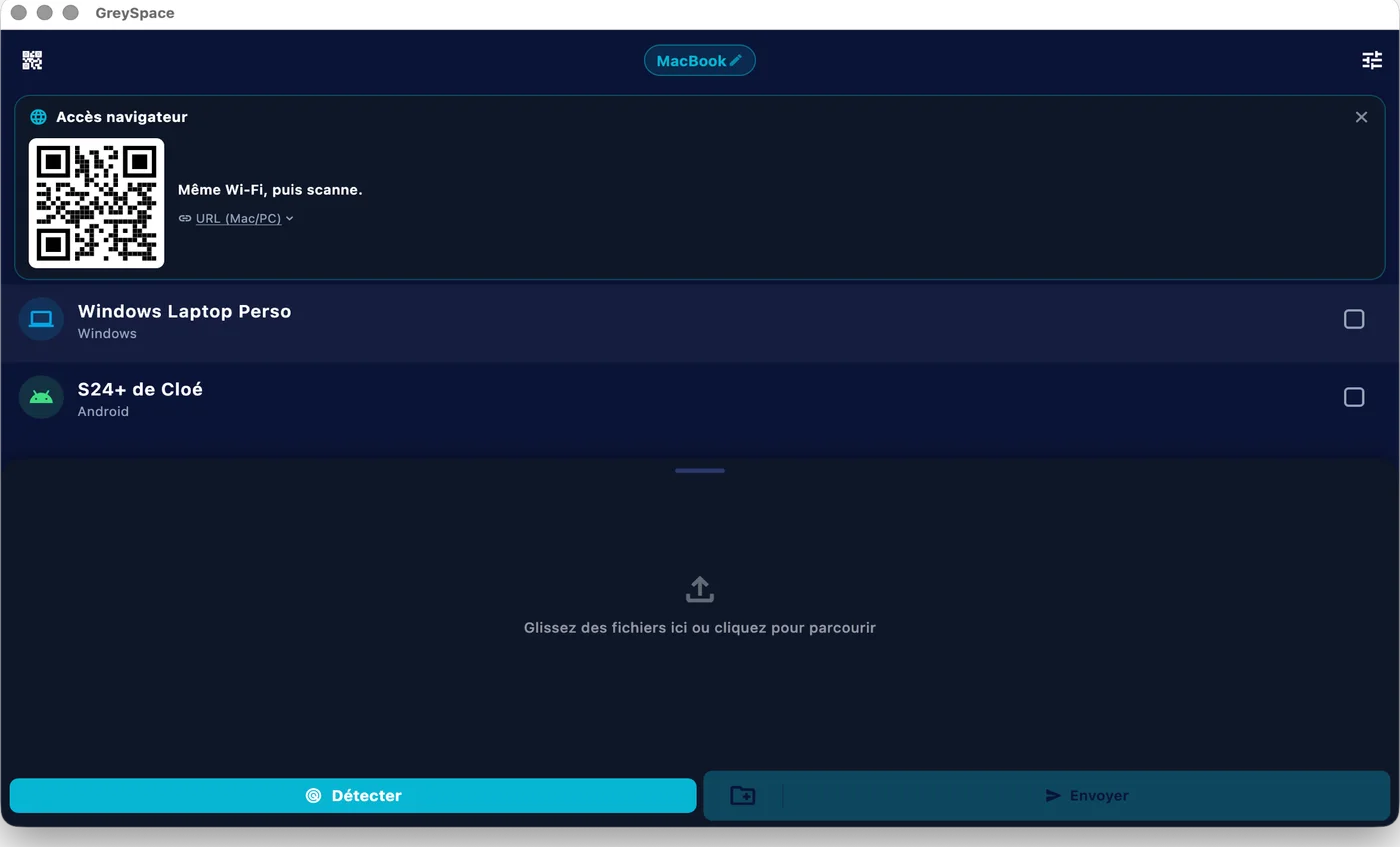
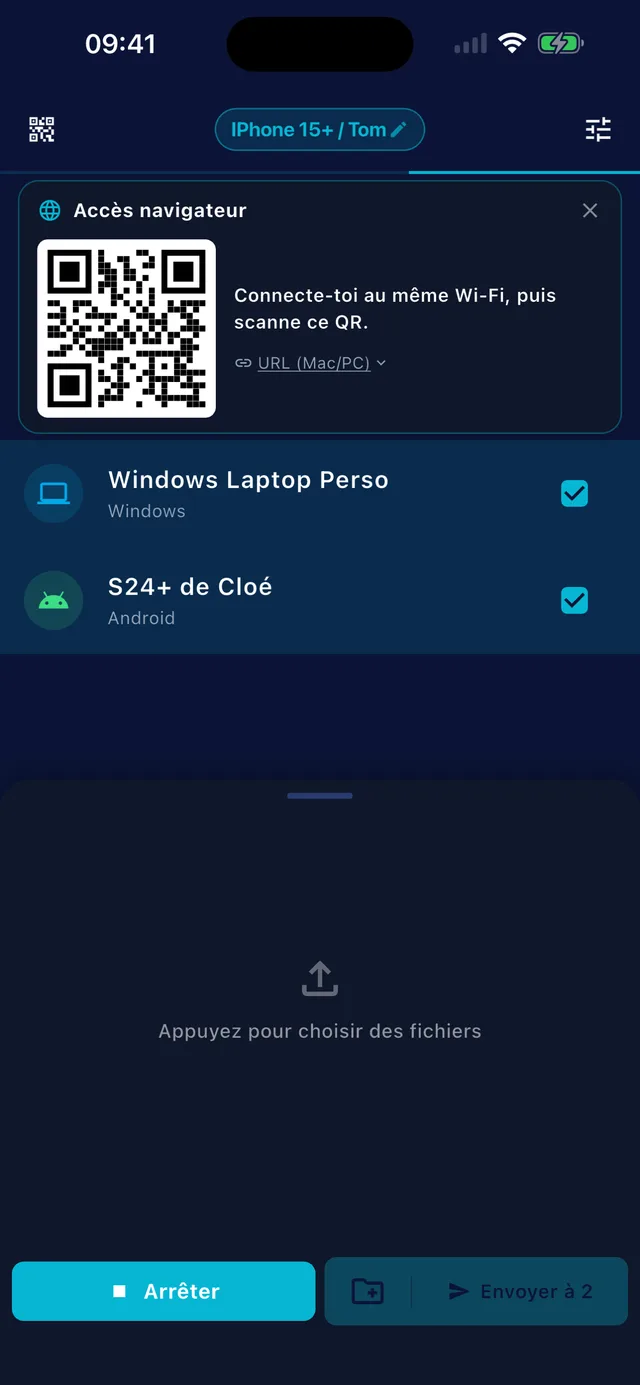
The cloud makes you wait twice: the upload, then the download. GreySpace sends in a single step, device to device, at the speed of your Wi-Fi.
The race for 1 GB of video
Wi-Fi 6 or hotspot: up to 900 Mb/s. Wi-Fi 5: around 400 Mb/s. Cloud: capped by your upload (10 to 50 Mb/s), then the download on the other side.
500 GB of footage? It goes through. No cap, no splitting, no compression: every file lands identical, byte for byte. *With Pro; 10 GB of sending a month on Free.
A dropout, a phone that locks, a full disk: the transfer picks up where it stopped, and every file is verified on arrival. Never a truncated video that looks fine.
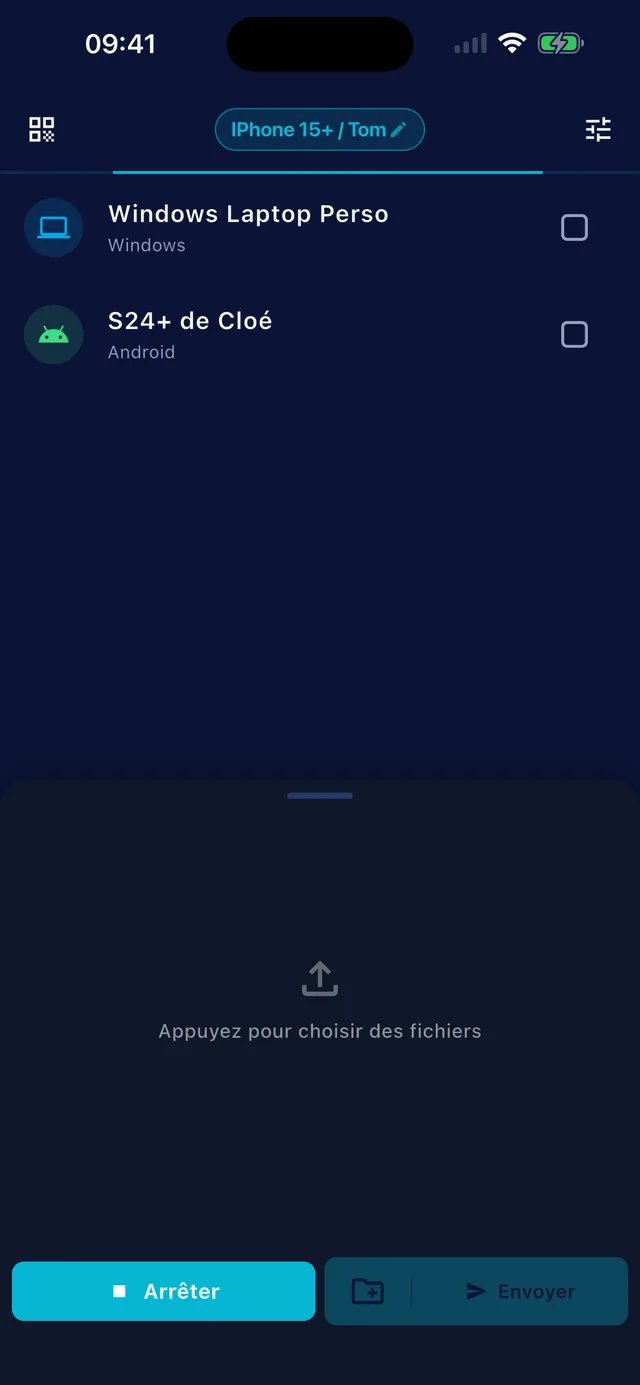
They scan your QR code and receive, or send you, files from their browser: Safari on iPhone, Chrome on Android and PC. Nothing to install, no account.
 GreySpace
 Connected to MacBook
Everything you expect from a transfer tool. And a bit more.
No zipping, from a Mac or a PC
Mac, Windows, Android and iPhone, without draining your battery
Across Mac, PC, Android and iPhone
Any browser, via QR code
Zero compression: identical byte for byte
Up to 900 Mb/s on Wi-Fi 6 or hotspot
Your files never leave your network, even as a fallback
Between two Androids, no router, over Wi-Fi Direct
Every tool does part of the job. Here’s where each one lets you down.
We Double punishment. You push 10 GB up to a server, then the recipient downloads them again. Your connection pays twice. GreySpace skips the server, full stop.
In detail Wa
Wa Wrecks the quality: your ProRes video comes out in 720p, 100 MB cap, metadata gone. You might as well send it to the trash.
In detail AD
AD Works great. Right up until someone pulls out a PC or an Android. Apple-only, and flaky beyond a certain circle.
In detail Bl
Bl Sometimes goes through the cloud without telling you. Slow, unpredictable: you never know whether it stays local or not.
 Ls
Ls Open source, but a bare interface, unstable on a locked iPhone, painful photo picking, and no automatic fast hotspot.

Direct, full speed, zero servers. Files identical byte for byte. Mac, PC, iPhone, Android.
Creators who move heavy files every day, and solved the problem once and for all.
I shoot IRL, often with no decent network. My footage used to stay stuck on my phone until I got home. Now I dump everything to the Mac in minutes, right there on the spot.
 Noah Cut IRL videographer
 My videos are hours of footage to move between shooting and editing. Uploads used to cost me hours. Now everything goes local, at full speed, without ever touching the quality.
 ChadSciences Science creator · YouTube
 Heavy visuals, videos, client deliverables all day. GreySpace is the reflex now: I select, it’s gone, it’s delivered. Faster than anything I used before.
 Younès Bouretima Funnel builder · Linkyb
 Big files to move between my machines all day. Local, full speed, no thinking about it. The fastest tool in my setup.
 Yeet.mkt Marketing explainer · YouTube
"I was in a train station, 10 GB of footage stuck on my phone. No signal. The cable buried in my bag, and the Lightning port would have throttled me to 15 MB/s anyway. AirDrop? Useless, I was on PC. WhatsApp would have crushed the quality. The cloud? Double punishment: 2 hours of unstable upload, then re-download on the other side. I almost threw my phone at a wall. So I coded GreySpace."
 Fabien Chauveau Creator of GreySpace
 Receiving stays free forever, at full speed. To send everything with no limit: €3.33 per month billed yearly, cancel anytime.
No account, no card
To empty your phone, send a video, receive without limits.
DownloadCancel any month
For creators and indies who ship heavy.
that’s €3.33 per month
All of Pro, paid once a year.
Secure payment by Stripe. Cancel in two clicks. Full refund within 14 days if it’s not for you.
For anything else, email us.
Yes. The Free plan is free forever: unlimited receiving, 10 GB of sending per month, full speed, no account. The day you hit 10 GB, the app even gives you 7 unlimited days, no card (except on iPhone and iPad).
If you send heavy files every day, Pro removes the sending limit: €5.99 per month, or €39.99 per year.
No. Files travel over your local Wi-Fi, or over a hotspot between two devices, and never touch the internet. The Free plan needs no connection at all.
A Pro subscription checks in now and then to confirm it is active, and if it can’t, it keeps working for 14 days without network.
As fast as your Wi-Fi, with no throttling on our side. On a Wi-Fi 5 router, expect around 400 Mb/s: 1 GB in 20 seconds. On Wi-Fi 6 or a hotspot between two recent devices, up to 900 Mb/s: 1 GB in 9 seconds.
A cloud upload, by contrast, is capped by your upload speed, often 10 to 50 Mb/s. And the other side still has to download.
The cloud makes you wait twice: you upload to a server, then the receiver downloads. With GreySpace the file goes straight from one device to the other, in a single step, when both are on the same network. No public link, no copy on a server, and no size limit with Pro (10 GB of sending a month on Free).
Your receiver is on the other side of the country? Then an online service like WeTransfer is still the right tool.
AirDrop works great, between Apple devices. GreySpace does the same between Mac, Windows, Android and iPhone, and holds up on big volumes: 500 GB of footage without dropping, resuming if the Wi-Fi wobbles.
Yes. They go directly from your device to the receiver’s, on your local network. No third-party server, even as a fallback: GreySpace never relays through the cloud.
No account on the Free plan, no usage tracking in the app, nothing collected. What moves between your devices stays between your devices.
GreySpace is on the App Store, for iPhone and iPad. Get the app, it’s free.
An iPhone without the app can still receive: it scans the QR code shown by GreySpace and the files land in Safari. From that same browser, it can also send you files.
Yes. GreySpace sends entire folders from a Mac or a PC, without zipping: all their files go in a single send. For now, subfolders arrive flattened, in a single folder. Every file is verified on arrival and stays identical byte for byte: your ProRes, your RAWs and your projects land exactly as they left.
Free up to 10 GB of sending a month, no account. Other platforms